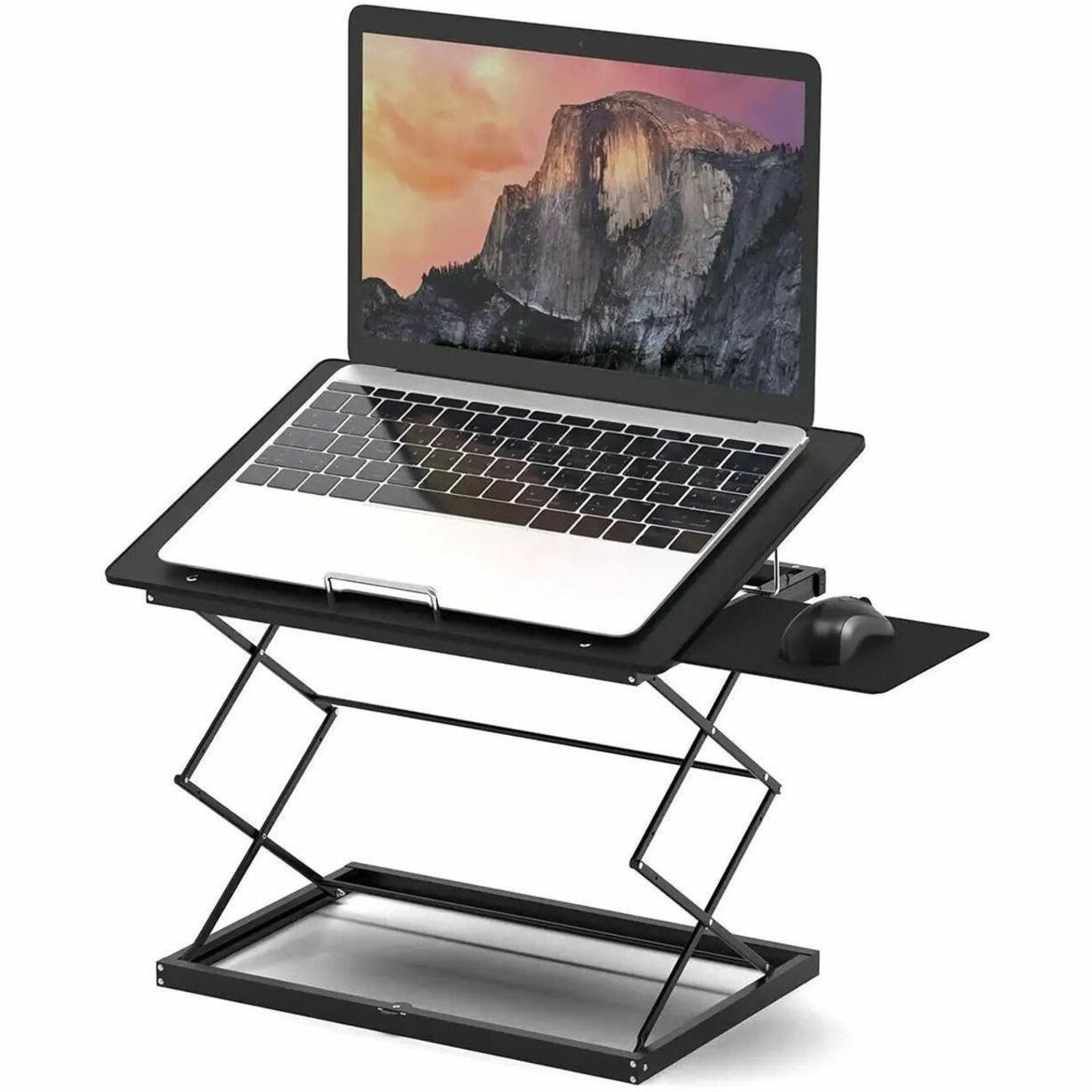
How to choose an ergonomic laptop stand
The core ergonomic rule is simple: the top of your screen should sit at or just below eye level, so you look straight ahead instead of craning your neck downward. A laptop flat on a desk forces a 30-to-45-degree downward gaze for hours, which is where the familiar neck ache and rounded shoulders come from. A stand fixes the height problem; your job is to pick the right kind of stand for how you work.
First, decide between fixed and adjustable. Fixed-height stands (like the classic single-piece aluminum risers) are the most stable and the most elegant — set it down and forget it. They suit people who work at one desk and want a permanent, rock-solid setup. Adjustable stands with multiple height levels or a continuous riser suit shared desks, standing-desk converters, and anyone who splits time between sitting and perching — you can match the screen height to your chair and posture each time.
Second, think about stability and material. Solid aluminum stands with a wide single-piece base are the gold standard: they don't wobble when you type hard, they distribute the laptop's weight evenly, and they double as a passive heat sink — the aluminum draws heat away from the chassis while the open design underneath keeps air moving. Cheaper folding stands can flex or feel springy under a heavier 16-inch machine, so check weight capacity and read reviews from owners of your laptop size.
Third, consider the extras that matter daily. A cable-routing hole keeps your charger tidy and stops cables from dragging the laptop. A front lip or hook stops the laptop sliding forward. Swivel bases let you rotate the screen toward a colleague or client without lifting the whole machine — a genuine productivity feature in meetings. And if you ever work from a café or a coworking space, a fold-flat design that slips into a laptop sleeve is worth its weight.
One non-negotiable: once the screen is up at eye level, typing on the built-in keyboard becomes awkward — your wrists end up raised and bent. Budget for an external keyboard and mouse (or trackpad) so your elbows stay at roughly 90 degrees and your wrists stay neutral. The stand plus keyboard combo is what ergonomists actually recommend, not the stand alone.
- Height & adjustability: fixed risers for one permanent desk; multi-level adjustable stands for shared desks, standing setups, or frequent movers.
- Stability: solid aluminum, wide base, rated for your laptop's weight and screen size (most handle 10–17 inch machines).
- Cooling: open designs that let air circulate under the laptop keep thermals and fan noise down.
- Extras: cable-management holes, front lips, swivel bases, and fold-flat portability.
- The keyboard rule: pair any raised stand with an external keyboard and mouse for true ergonomic benefit.
The top picks
Affiliate disclosure: As an Amazon Associate I earn from qualifying purchases. Read our full disclosure.
1. Rain Design mStand Laptop Stand
The timeless aluminum classic
The mStand is the stand that defined the category: a single piece of sand-blasted anodized aluminum that lifts your laptop 6 inches and tilts it slightly toward you. There are no moving parts to loosen and nothing to assemble — it's a sculptural, rock-solid platform that owners keep for a decade or more. The aluminum body acts as a heat sink while the open back keeps air flowing, and a cable hole in the rear routes your charger neatly. It fits nearly all laptops up to 17 inches and looks especially at home under a MacBook.
Pros: Extremely stable single-piece aluminum build; raises screen a full 6 inches; acts as a passive heat sink; integrated cable management; lasts for years.
Cons: Fixed height — no adjustability; not foldable or travel-friendly; heavier than folding alternatives; premium price for a simple design.
Check current price on Amazon →2. Rain Design mStand360 Laptop Stand with Swivel Base
Best for sharing your screen
The mStand360 takes everything great about the original mStand and adds a smooth 360-degree swivel base. During a meeting or a pair-programming session, you rotate your laptop toward your colleague with one finger instead of lifting and re-aiming the whole machine — small detail, big daily convenience. You get the same solid aluminum construction, the same 6-inch lift, the same heat-sink cooling and cable hole, plus a rotating base that stays put when you're typing solo.
Pros: All the mStand's stability and cooling; 360° swivel makes screen-sharing effortless; same premium aluminum build; cable-management hole included.
Cons: Fixed height like the original; swivel adds a little bulk and cost over the standard mStand; not foldable for travel.
Check current price on Amazon →3. Nulaxy C3 Height Adjustable Foldable Aluminum Laptop Stand
Best adjustable and portable
The Nulaxy C3 is the answer if you want adjustability without giving up the aluminum feel. It offers eight height levels you can set in seconds, folding completely flat so it slips into a laptop bag for café or coworking days. Ventilation cutouts and an angled open design keep airflow strong, and the thick aluminum-alloy construction holds up to heavier machines without the flex that plagues cheap folding stands. Reviewers consistently highlight how easy it is to dial in the exact height — especially useful if you switch between a low dining chair and a proper office chair.
Pros: Eight adjustable heights; folds flat for travel; sturdy aluminum alloy for the price; good ventilation; works for laptops and tablets.
Cons: Slightly less rock-solid than a one-piece stand at max height; front lip may partially block laptop front ports on some models; hinges need an occasional tightening check.
Check current price on Amazon →4. Nulaxy Height Adjustable Laptop Stand (pull-out design)
The versatile budget pick
This Nulaxy variant adds a clever pull-out design to the height-adjustable formula: the base extends to give extra support under larger laptops, which spreads the weight and improves stability compared with compact folding stands. It adjusts through multiple angles for sitting or standing use, keeps the ventilation-first open layout, and remains one of the most affordable ways to get true adjustability. If the Rain Design stands feel like furniture investments, this is the practical tool that gets the ergonomic job done for far less.
Pros: Pull-out base supports larger/heavier laptops; multiple adjustable angles; good cooling airflow; excellent value for an adjustable stand.
Cons: Less refined finish than premium aluminum stands; bulkier footprint when extended; no built-in cable routing.
Check current price on Amazon →Affiliate disclosure: As an Amazon Associate I earn from qualifying purchases. Read our full disclosure.